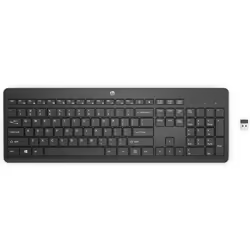
Lenovo Professional Wireless Keyboard and Mouse Combo
Lenovo Professional Wireless Keyboard and Mouse Combo, Full-size (100%), Wireless, RF Wireless, Membrane, Black, Mouse...Read full description ↓
| Date | Price |
|---|---|
| 26 September 2026 | £52.98 |
| 26 September 2026 | £44.15 |
| 29 September 2026 | £45.24 |
| 2 October 2026 | £44.15 |
| 2 October 2026 | £44.15 |
| 2 October 2026 | £45.24 |
Compare Lenovo Professional Wireless Keyboard and Mouse Combo prices UK

*Date of last price update
User Notice: We regularly reference new offers to provide you with the widest selection. However, the displayed results do not reflect all available offers on the market. By default, offers are sorted by price, with the lowest price appearing first.
Product Information
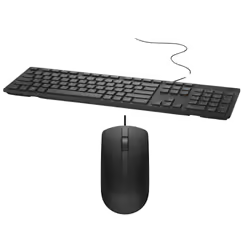
This sleek and stylish full-size keyboard and mouse combo offers exceptional quality in a modern wireless solution. The slim 3-zone keyboard with number pad has responsive quiet keys and a premium typing experience. One touch dedicated media keys put the controls you use most at your fingertips. The ergonomic full-size mouse provides comfort and support for all day use. Complete tasks with ease using the precise 1600dpi laser sensor and 4-way scroll wheel. Connect compatible Lenovo devices with just 1 nano receiver.
Highlights:
Lose the Wires: reliable 2.4ghz wireless connection with multiple pairing protocol 2 in 1 Convenience: plug and play micro wireless receiver easily connects both keyboard and mouse
No Guessing: 2 year commercial battery life with LED indicators (may vary based on user habits.)
Pairing the Lenovo USB Receiver with a mouse or a keyboard
By default, the Lenovo Professional Wireless Keyboard and Mouse Combo is paired with the Lenovo USB Receiver that shipped with the product. The Lenovo Professional Wireless Keyboard and Mouse Combo is ready for use after you connect it to your computer. In addition to the Lenovo Professional Wireless Keyboard and Mouse Combo, you also can pair the Lenovo USB Receiver with any Lenovo wireless mouse or keyboard printed with the icon
To pair the Lenovo USB Receiver with a new Lenovo wireless mouse or keyboard, do the following:
1.Connect the Lenovo USB Receiver to an available USB connector on your computer.
2.Place the mouse or keyboard within 10 cm (3.94 inches) of the Lenovo USB Receiver.
3.Move the power switch on the mouse or keyboard to the on position.
4.Press and release the pairing button on the mouse or keyboard. After the status indicator on the mouse or keyboard blinks for five times and then turns off, the Lenovo USB Receiver has been successfully paired with the mouse or keyboard.
Operational conditions
- Operating temperature (T-T)
- 0 - 40 °C
- Operating relative humidity (H-H)
- 20 - 95%
Weight & dimensions
- Keyboard weight
- 700 g
- Mouse weight
- 80 g
Power
- Power source type
- Battery
Keyboard
- Recommended usage
- Office
- Connectivity technology
- Wireless
- Device interface
- RF Wireless
- Keyboard key switch
- Membrane
- Keyboard language
- Spanish
- Pointing device
- No
- Keyboard form factor
- Full-size (100%)
- Numeric keypad
- Yes
- Windows keys
- Yes
- Hot keys
- Yes
- USB hub
- No
- Purpose
- PC/Server
- Fingerprint reader
- No
- Frequency band
- 2.4 GHz
Mouse
- Mouse included
- Yes
- Form factor
- Right-hand
- Movement resolution
- 1600 DPI
- Buttons quantity
- 3
- Scroll
- Yes
- Scroll type
- Wheel
- Scrolling directions
- Vertical
- Number of scroll wheels
- 1
Design
- Backlight
- No
- Product colour
- Black
- Keyboard style
- Straight
- Wrist rest
- No
- Surface coloration
- Monochromatic
Packaging content
- Receiver type
- Nano receiver
- Unifying receiver
- Yes
Logistics data
- Harmonized System (HS) code
- 84716060
Features
- Plug and Play
- Yes
Customer Reviews
Share your opinion on the product or read reviews from other members.