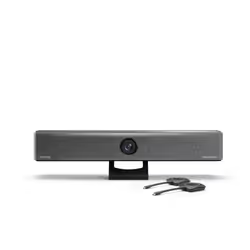
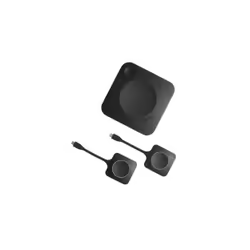
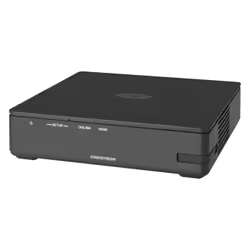
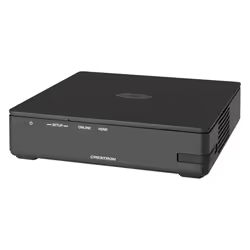
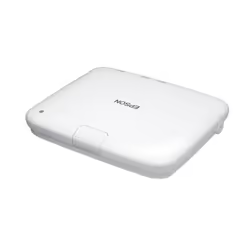
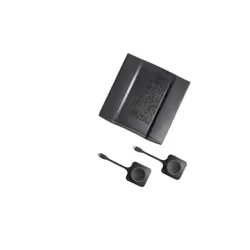
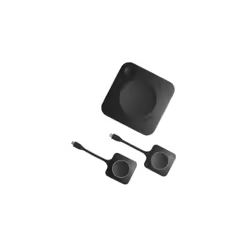
ScreenBeam Edu Gen2 inc 3 Years Administrative & Instructional Tools & 3 Year Warranty wireless presentation system HDMI + USB Type-A Desktop
ScreenBeam Edu Gen2 inc 3 Years Administrative & Instructional Tools & 3 Year Warranty, Desktop, White, FCC, RED, RoHS,...Read full description ↓
| Date | Price |
|---|---|
| 13 July 2026 | £529 |
| 18 July 2026 | £689 |
| 1 August 2026 | £600 |
| 4 August 2026 | £529 |
| 17 August 2026 | £524 |
| 20 August 2026 | £638 |
| 21 August 2026 | £559 |
| 1 September 2026 | £536 |
| 2 September 2026 | £538 |
| 16 September 2026 | £582 |
| 23 September 2026 | £538 |
| 26 September 2026 | £463 |
| 30 September 2026 | £466 |
| 5 October 2026 | £466 |
| 6 October 2026 | £467 |
Compare ScreenBeam Edu Gen2 inc 3 Years Administrative & Instructional Tools & 3 Year Warranty wireless presentation system HDMI + USB Type-A Desktop prices UK


*Date of last price update
User Notice: We regularly reference new offers to provide you with the widest selection. However, the displayed results do not reflect all available offers on the market. By default, offers are sorted by price, with the lowest price appearing first.
Product Information
ScreenBeam 1000 EDU Gen 2 + Instructional & Administrative Tools Bundle combines the award-winning ScreenBeam 1000 EDU Gen 2 wireless presentation platform with built-in instructional tools for interactive teaching and a 3-year subscription to ScreenBeam Administrative Tools — Signage+, Alert+, and Message Manager.
The bundle builds on the core ScreenBeam 1000 EDU Gen 2 classroom presentation experience by adding instructional tools that support annotation, whiteboarding, and classroom interaction, along with administrative tools that enable digital signage, non-emergency messaging, and emergency alerts. Together, they create a complete instruction and communication platform for K–12 education environments.
ScreenBeam 1000 EDU Gen 2 is purpose-built for K–12 classrooms, delivering secure, app-free wireless display with native support for Miracast, AirPlay, and Google Cast. Designed to be intuitive for teachers and students, it enables fast content sharing and interactive instruction without cables, dongles, or complex setup.
With Instructional and Administrative Tools, classroom displays support both teaching and communication — from interactive lessons to school-wide announcements and safety notifications — without relying on personal devices or third-party systems.
ScreenBeam Instructional Tools Bundle
Instructional Tools (ScreenBeam Orchestrate)
ScreenBeam Instructional Tools support interactive teaching and collaborative learning in K–12 classrooms.
Orchestrate (Classroom Management): Gives teachers real-time visibility into student screens and the ability to moderate and control student sharing to the classroom display
Active Learning: Gives teachers real-time visibility into student screens and the ability to moderate and control student sharing to the classroom display
App-less and dongle-less screen mirroring
Screen sharing from any device without the need to download an app or keep dongle nearby. ScreenBeam leads with OS-native Wi-Fi Miracast, AirPlay and Google Cast for familiarity and mitigate user training.
Extended desktop
Windows and macOS users can mirror desktop or extend screen to ensure content privacy.
Touch display support
Windows users can markup content directly on room displays, instantly capturing changes in Microsoft Office 365 applications.
Integrated Whiteboard
An integrated Whiteboard application enables a collaborative experience that launches directly from the interactive flat panel display without changing sources, pushing buttons or re-connecting to the display.
Name Picker & Timer
Tools frequently used by teachers to help engage students, randomly select students and time projects and tasks. These integrated applications are available for classrooms with IFP display.
Orchestrate (Lite)
Basic orchestration capabilities for Windows and Chromebooks. Teachers can easily and securely preview and approve student screen sharing for a moderated experience.
Multi-view
Teachers can display up to four student device screens simultaneously making it easy for classroom collaboration and discussion.
Signage Player
Idle displays in classrooms and meeting spaces can be optimized to convey information with integrated HTML-based digital signage capability.
Centralized Management
ScreenBeam CMS Enterprise included for monitor, manage, and update.
GhostInking
GhostInking is ScreenBeam’s patented technology that eliminates wireless inking lag, delivering instant, natural handwriting on any interactive display connected wirelessly to a Windows device—no apps, cables, or proprietary tools. It enables a true pen-to-paper experience for seamless collaboration.
Product
- Name
- ScreenBeam Edu Gen2 inc 3 Years Administrative & Instructional Tools & 3 Year Warranty wireless presentation system HDMI + USB Type-A Desktop
- Category
- Wireless Presentation Systems
- Brand
- ScreenBeam
Design
- Form factor
- Desktop
- Product colour
- White
- Certification
- FCC, RED, RoHS, UL
Features
- AirPlay mirroring
- Yes
- Miracast
- Yes
- Google Cast
- Yes
Network
- Wi-Fi standards
- Wi-Fi 5 (802.11ac)
- Top Wi-Fi standard
- Wi-Fi 5 (802.11ac)
- Dual-band
- Yes
- Bluetooth
- Yes
- Ethernet LAN
- Yes
- Ethernet LAN data rates
- 10,100,1000 Mbit/s
- Cabling technology
- 10/100/1000Base-T(X)
- Networking standards
- IEEE 802.1x
- Supported network protocols
- IEEE 802.1x, WPA-PSK (TKIP), WPA2-PSK (AES), PEAP-MSCHAPv2, EAP-TLS
System requirements
- Windows operating systems supported
- Windows 10, Windows 11
- Mac compatibility
- Yes
- Mac operating systems supported
- Mac OS X 11.0 Big Sur, Mac OS X 12.0 Monterey, Mac OS X 13.0 Ventura
- Other operating systems supported
- ChromeOS
- Mobile operating systems supported
- Android 8.0, Android 8.1, Android 9.0, iOS 13, iOS 13.4, iOS 14, iOS 14.5, iOS 15, iOS 16
Packaging content
- Cables included
- HDMI
Power
- Power source type
- DC
- Input voltage
- 12 DC
- Input current
- 3 A
- Power consumption (max)
- 24.8 W
- Power consumption (typical)
- 8.4 W
Ports & interfaces
- Interface
- HDMI + USB Type-A
- Number of HDMI outputs
- 1
- Ethernet LAN (RJ-45) ports
- 1
- USB 2.0 ports quantity
- 2
- USB 3.2 Gen 1 (3.1 Gen 1) Type-A ports quantity
- 1
- 3.5 mm (1/8-inch) out
- Yes
- DC-in jack
- Yes
Weight & dimensions
- Width
- 220 mm
- Depth
- 144 mm
- Height
- 37.5 mm
- Weight
- 453.5 g
Operational conditions
- Operating temperature (T-T)
- 0 - 40 °C
- Operating relative humidity (H-H)
- 20 - 80%
- Storage temperature (T-T)
- 20 - 85 °C
- Storage relative humidity (H-H)
- 10 - 90%
Customer Reviews
Share your opinion on the product or read reviews from other members.